Write the spec like a regular doc. Free to start, no credit card.
By continuing, you agree to the Terms of Use and acknowledge the Privacy Policy. Analytics choices are separate.
the specgit blog
Introducing specgit for Obsidian: your whole team in your vault
· the specgit team
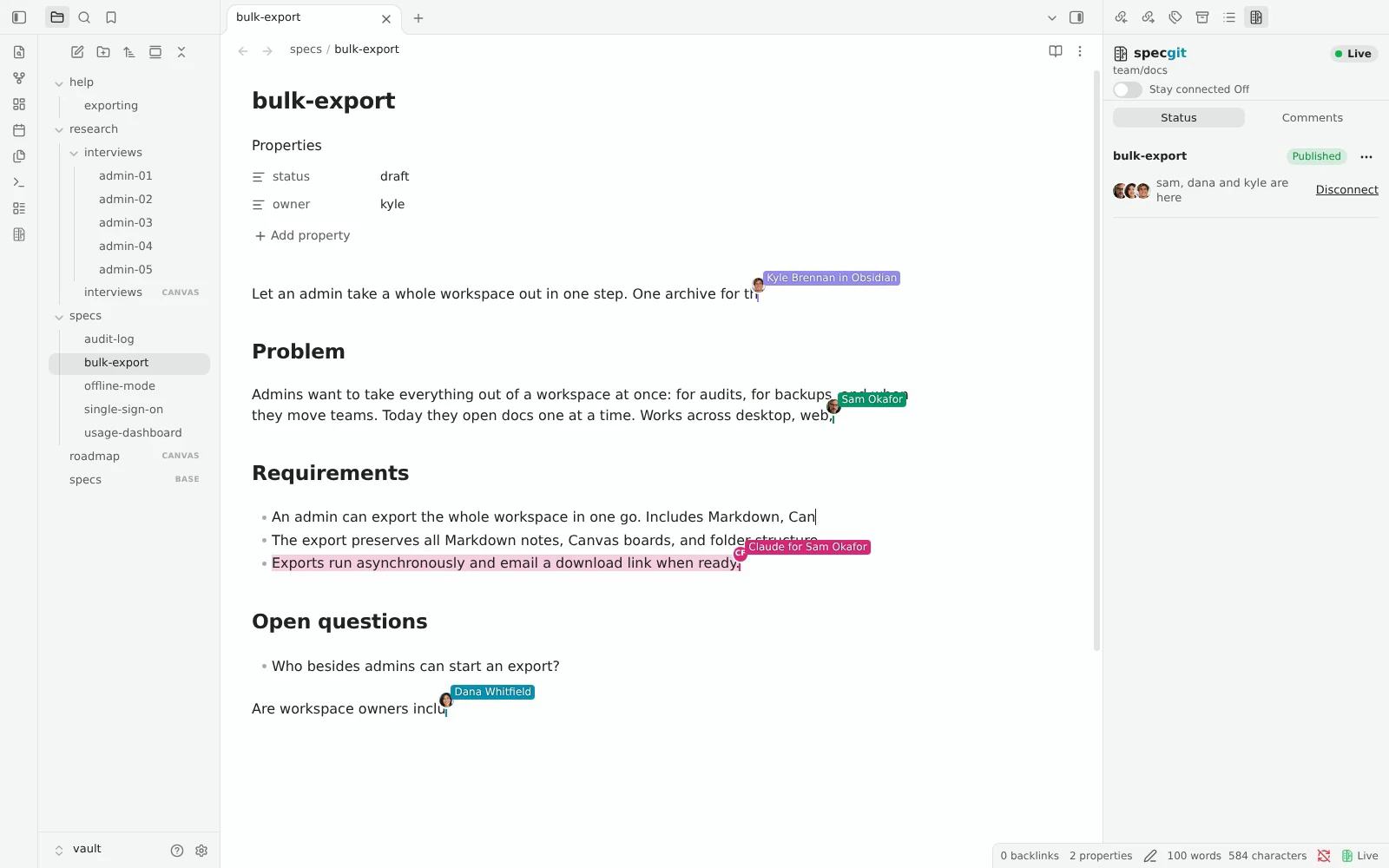
Bring your team into your vault
Install specgit from Obsidian Community plugins, sign in with GitHub, and pick your repository or put your local vault on GitHub for free.
By continuing, you agree to the Terms of Use and acknowledge the Privacy Policy. Analytics choices are separate.
See plans & pricingFree to start, no credit card. Zero Content Retention: we never keep a copy.
Install in Obsidian · See pricing · Read the Obsidian guide
A lot of teams already keep their best thinking in an Obsidian vault backed by GitHub. History is permanent, plain Markdown stays readable everywhere, and engineers can review a spec in the same repository as the code it describes. The catch was everything that happened inside Obsidian itself. Two people couldn't type in the same note at once, comments lived in another tool, and keeping a vault synced across devices or teammates meant running Git commands or fixing conflicts by hand.
Today we're launching specgit for Obsidian: a free, open-source plugin that brings live co-editing, automatic note syncing, inline comments, and GitHub review straight inside Obsidian on desktop and phone, solo or with a team. specgit.com already works with Obsidian vaults in your browser, keeping your Markdown, Canvas boards, and Bases files intact. Now the people who live in Obsidian don't have to leave it to write together.
The plugin is live in Obsidian's Community plugins directory, and its code is public under MIT on GitHub. Here is how it works and how to try it on your vault.
Live rooms inside Obsidian, synced with browsers and agents
Every note in your vault opens Local first, as an ordinary Markdown file on your disk. Nothing leaves your device until you choose to connect. When you want to write with someone, open the specgit panel in the right sidebar (the right drawer on mobile) and select Connect Live.
That note joins the same live room that specgit.com uses in the browser. Teammates who love Obsidian stay in Obsidian on desktop or phone. Teammates who never installed Obsidian open the exact same note in their browser on specgit.com. Connected agents (through MCP on Claude, ChatGPT, or Cursor) edit in the same room too. Everyone sees each other's colored cursors, names, and selections in real time, with per-person undo so your undo only undoes your own words.
Properties stay live too. Change a status or owner in Obsidian's Properties panel and teammates see it on specgit.com right away, and vice versa. Select Disconnect whenever you want to return the note to Local (closing and reopening a note keeps it Live for the rest of your Obsidian session).
Stay connected: automatic syncing without running Git
Live rooms handle the note you're typing in right now. Stay connected handles the rest of your vault. It starts off by default; flip the switch at the top of the specgit panel, and specgit automatically saves your edits to a draft review as you go and brings in published changes and teammates' drafts across your desktop, your phone, and your team.
Stay connected never publishes a change to the version everyone sees, and it never sends a delete to GitHub on its own. When two people edit different paragraphs of the same note while disconnected, specgit combines both changes cleanly. When both sides change the same lines, a conflict dialog shows both versions side by side and waits for you to choose what to keep.
If your desktop vault is also a Git working copy, Stay connected reads your local .git/logs/HEAD and stash log so a manual Git pull isn't mistaken for new edits of your own. That read stays on your computer and never runs on mobile.
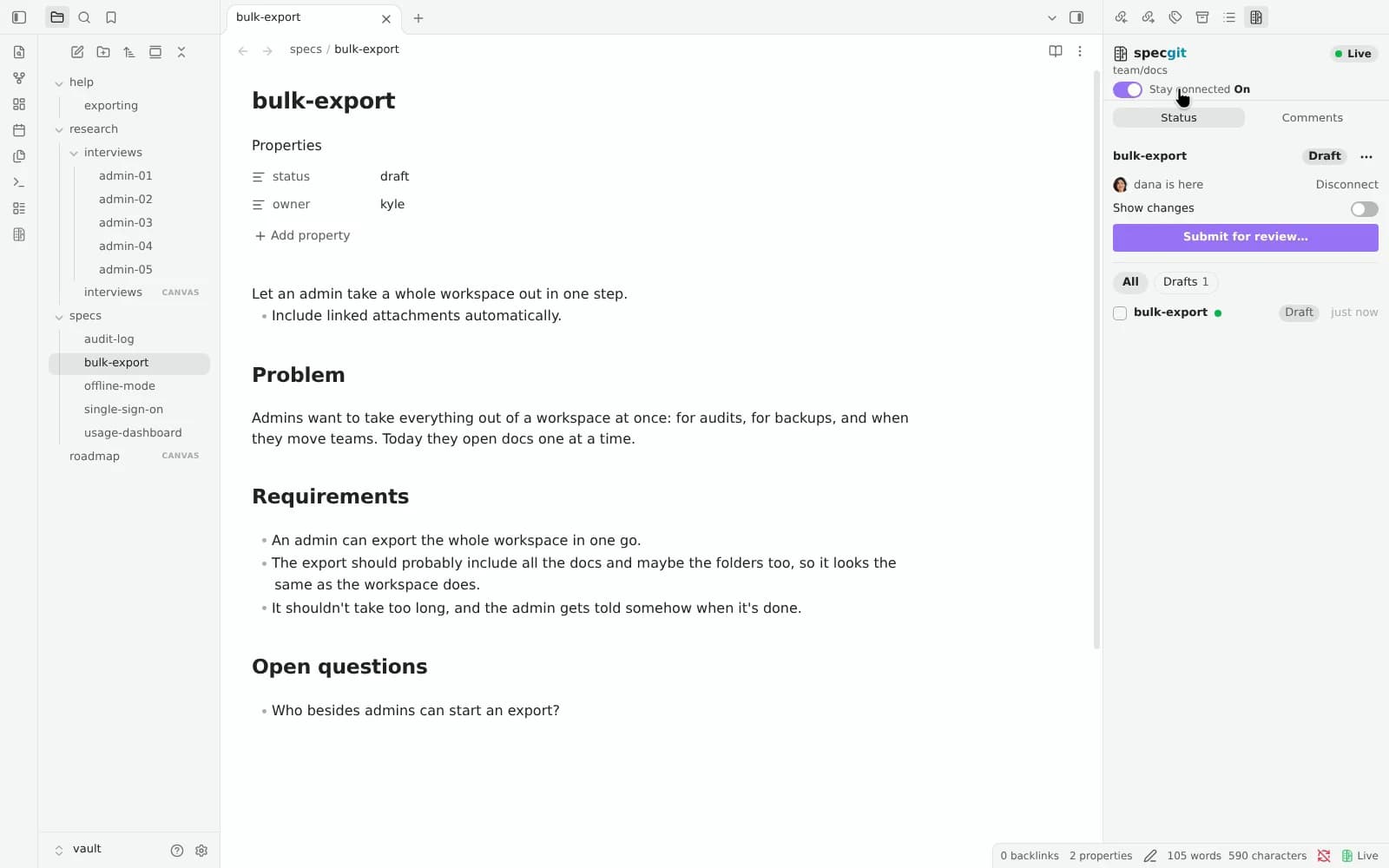
Inline comments and one-click suggestions
Review conversations used to pull Obsidian writers into a browser tab just to answer a question on a paragraph. Now highlight any text in Obsidian and choose Comment with specgit. Your comment opens a real GitHub pull request review thread anchored to those exact words.
Open the Comments tab in the right sidebar to read every thread on the note, click a quote to jump straight to the underlined words in your editor, reply, or resolve. When a reviewer proposes a wording change as a suggestion, select Apply suggestion to update the note in one click. Open conversations carry across revisions, so a thread stays attached to its text even after new edits publish.
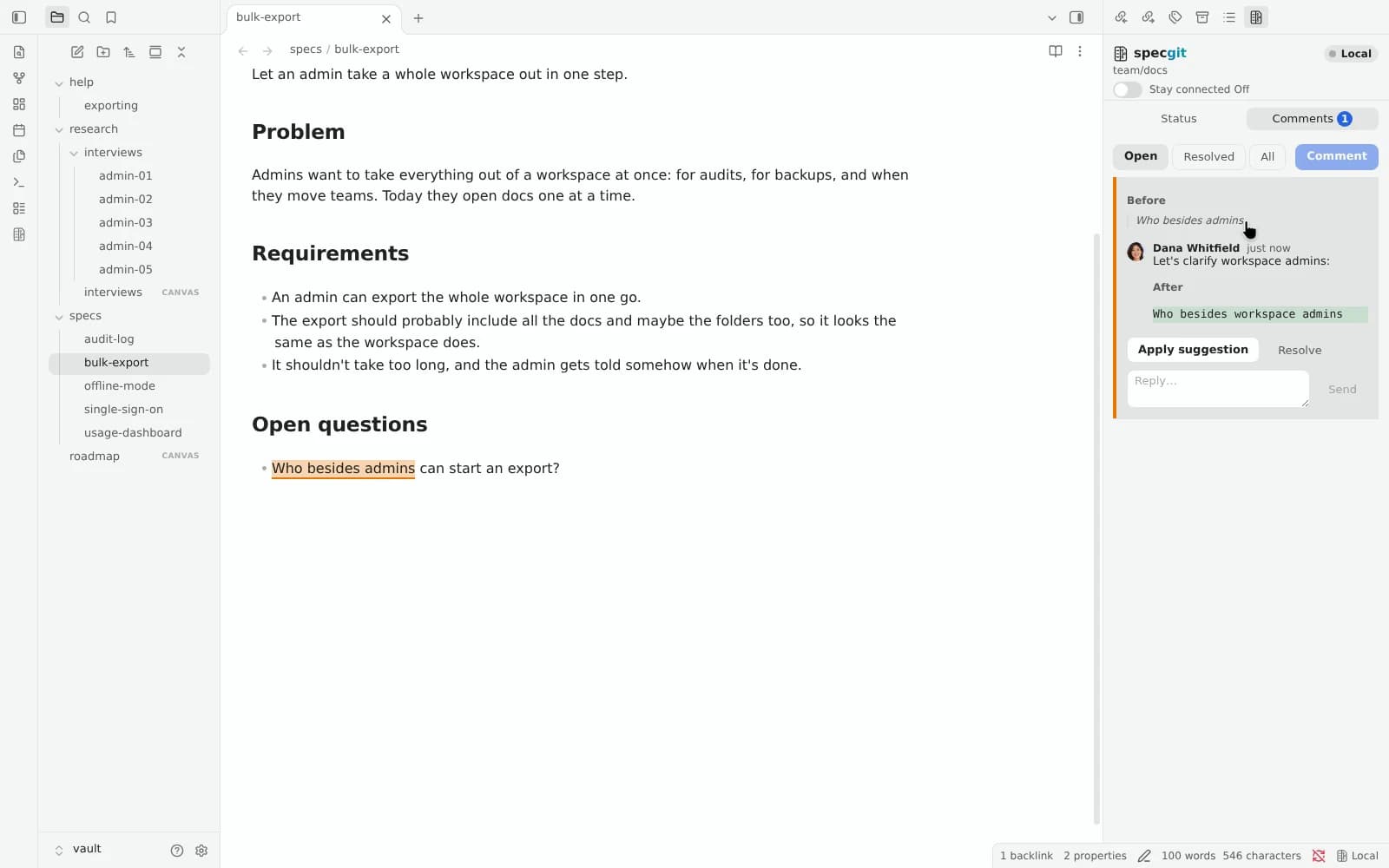
One Status panel from draft to published
The Status tab in Obsidian is the same Status panel you see on a document, a Canvas board, and the repository page on specgit.com. It lists every unpublished change in your vault with one clear state per file: Edited, Draft, In review, Ready to publish, Changed in both, or Held. You can filter by All, Live, To approve, To publish, or Drafts.
Say you're a product manager updating an audit log spec on Wednesday morning before an engineering review. You make your edit in Obsidian desktop, check the Status panel on the right, and click Submit for review. You add Dana, your tech lead, as a reviewer and click Submit. Your edit goes to review as a pull request (GitHub's name for a set of changes reviewed together), and GitHub notifies Dana.
Dana opens the same note in Obsidian on her phone, slides open the right drawer, checks the change, and taps Approve. Your Status panel on desktop flips to Ready to publish without a reload. You click Publish, and specgit merges the pull request into the version everyone sees. If Dana prefers reviewing in specgit.com or directly on GitHub, the exact same review is waiting there too.
When several notes change together, Group together (on Pro and Pro Plus) bundles them into one review and one publish from the same panel. Read how Group together works.
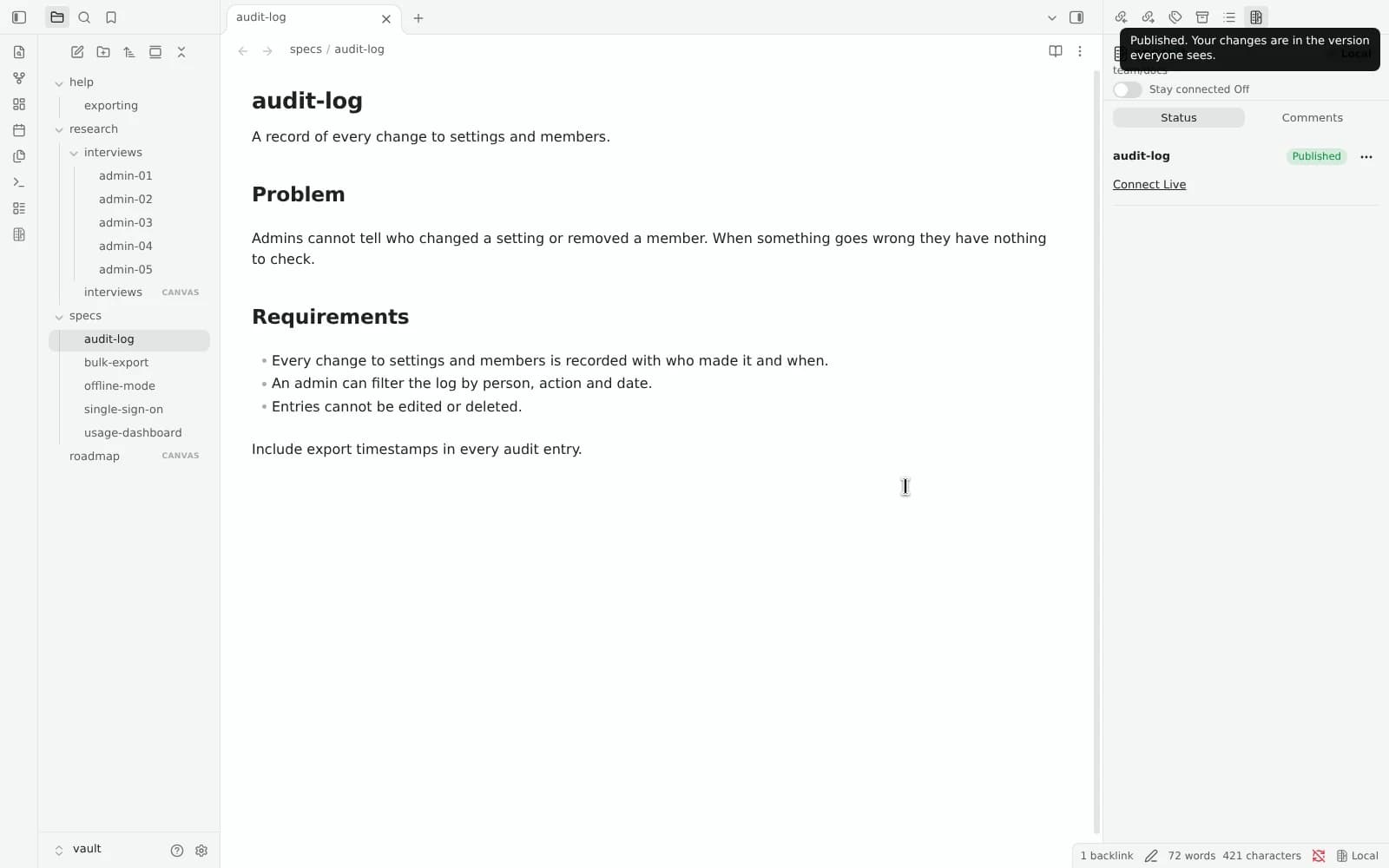
Not on GitHub yet? Put this vault on GitHub, free
Plenty of great Obsidian vaults start as a folder on a laptop or in a cloud drive, never linked to GitHub. You don't need to install Git or configure a repository by hand to get started.
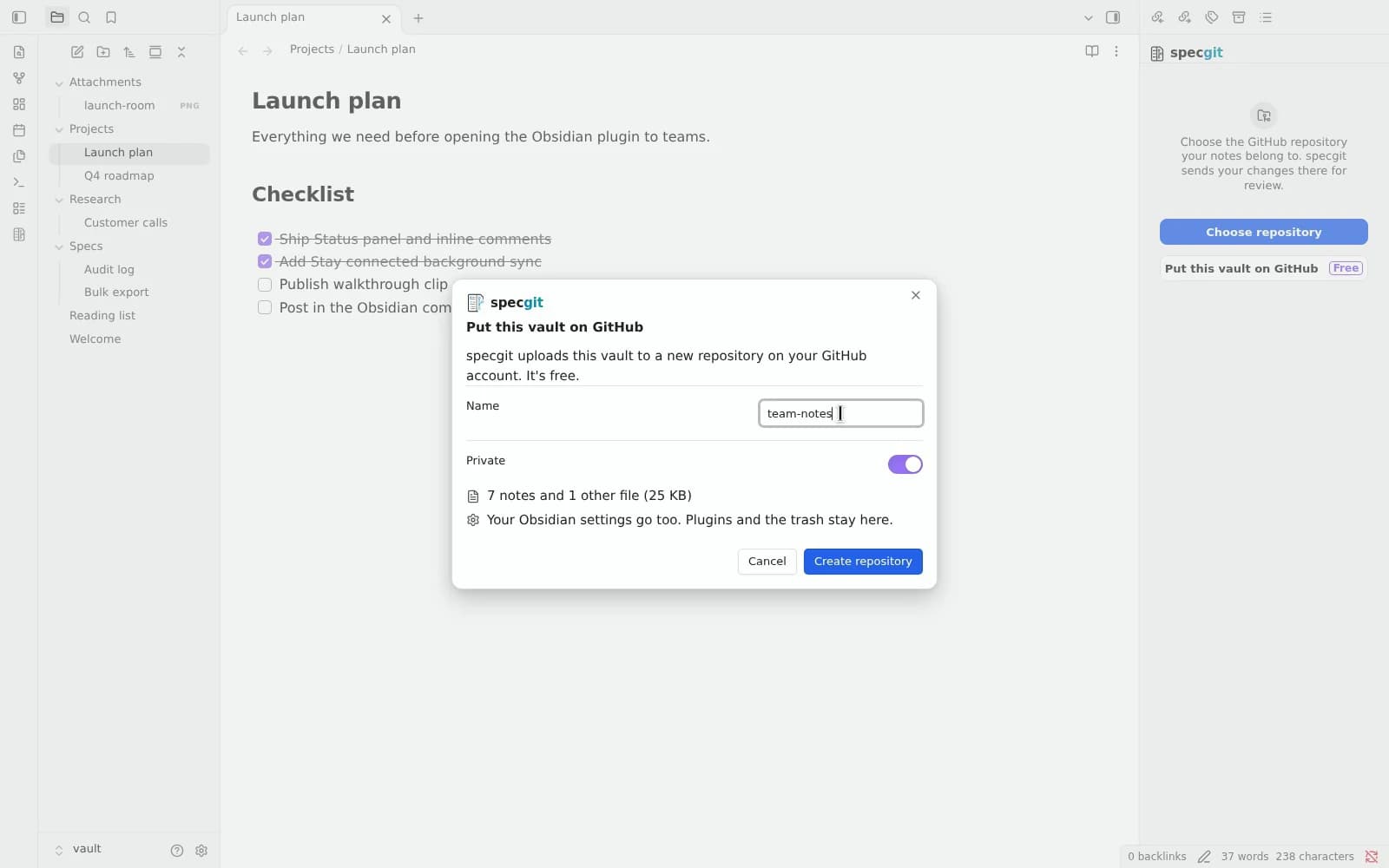
Sign in with GitHub in the plugin and select Put this vault on GitHub. Give the repository a name, leave Private toggled on, and click Create repository. specgit creates a private GitHub repository under your account and uploads your notes, Canvas boards, Bases files, attachments (up to 20 MB per file), and Obsidian settings. Your community plugins and trash stay on your device. Putting a vault on GitHub is free and doesn't count against your plan limits.
What stays on specgit.com
We built the plugin to feel native inside Obsidian instead of stuffing every browser mode into a sidebar. Live editing of Canvas boards, Writing mode and Riff, and Ask Agent stay on specgit.com, one click away via Open in specgit in the card menu. Because both surfaces work on the exact same GitHub repository and live rooms, you can open a board or run Review on specgit.com and keep writing in Obsidian without losing formatting or comments. See how we test Obsidian syntax fidelity.
Pricing, privacy, and how to install
specgit for Obsidian is free and open source under the MIT license. Everyone signs in with their own GitHub account through the specgit GitHub App, with fine-grained, repo-by-repo permissions. Your repository owner's specgit plan applies to what you publish: the Free plan includes 1 repository, 5 publishes a month, and unlimited collaborators with no credit card; Pro is $8 per seat a month for unlimited repositories, unlimited publishes, and Group together; Pro Plus is $16 per seat a month with $10 of agent usage included each month on specgit.com. Only editors use seats; viewing and commenting never do.
Zero Content Retention: we never keep a copy of your documents or comments. GitHub remains the source of truth, and our Privacy Policy and Security pages document every narrow operational exception (such as live room state while a session is open and the encrypted file list).
To install it today:
- Open Obsidian (1.11.5 or newer), go to Settings → Community plugins → Browse, and search for specgit (or open the directory listing directly).
- Click Install, then Enable.
- Open the specgit sidebar icon, sign in with GitHub, and choose an existing repository or select Put this vault on GitHub.
Engineers keep code in one repository because things that change together belong together. We think the same holds for your specs, research, handbooks, and plans. Now the people who write them can stay right inside Obsidian.
Install in Obsidian · Read the Obsidian + GitHub guide · See pricing
More from the blog
- Now in specgit: Group together, one review for related docs
- Introducing Writing mode: a woodshed for your words
- Your Obsidian vault, edited together, exactly as you wrote it
- Introducing Canvas: your whole team on the board
- specgit is now available on Microsoft Marketplace
- User insights belong in the repo
- Why product specs go stale (and what keeps them current)
- Notion vs GitHub for product specs
- PRD chatbot vs docs in the repo
- All posts