Write the spec like a regular doc — free to start, no credit card.
the specgit blog
Why product specs go stale (and what keeps them current)
· Bryan Levy, specgit
Keep the spec next to the code
Write like a normal doc in GitHub, and specgit handles the Git for you. Free to start.
Free to start, no credit card. Zero Content Retention: we never keep a copy.
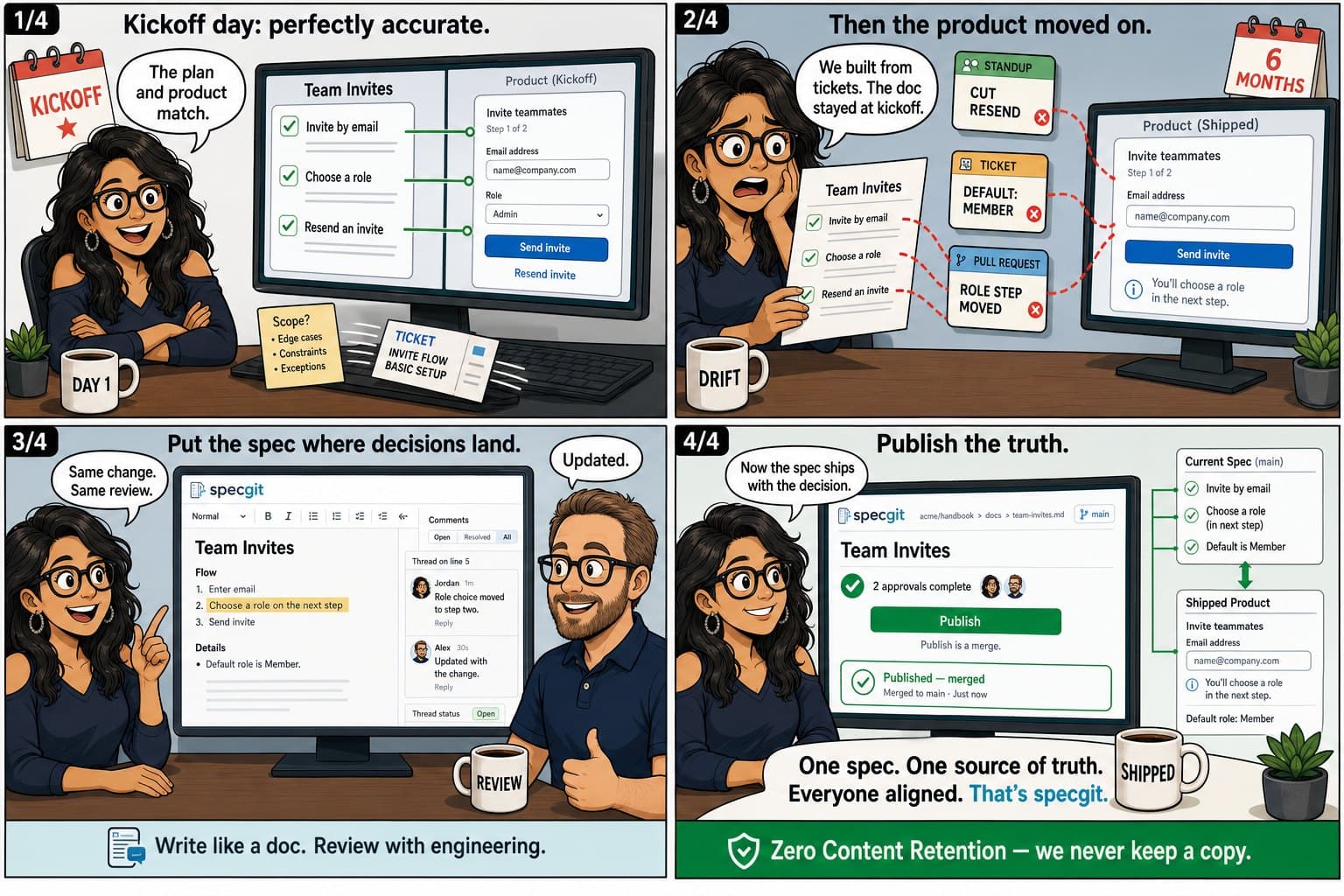
Product specs go stale because the spec lives somewhere the product does not. The work happens in a GitHub repository. Code changes, a reviewer pushes back, the change merges. A page sitting in a separate documentation app has no connection to that and no way to hear it happen. For the page to catch up, somebody has to notice the drift, leave the tool they were working in, open another app, find the right document, and rewrite it, with nobody checking whether the rewrite was correct. Most weeks that somebody does not appear. So the spec keeps describing what the team meant to build in March, and the product does something else.
Runbooks rot on the same mechanism. So do API guides and onboarding pages. Specs are the version people notice first, usually during a handoff or a customer question that the doc answers wrongly.
The spec lives where the product does not
Every decision that matters ends up in the repo. A pull request opens, someone argues with it, it merges. That sequence is the product changing shape. Anything outside the repo finds out later, if at all.
Look at what has to happen for the doc to keep up. A person interrupts the work they are doing. They switch applications. They find the right page among however many exist, remember what the old wording claimed, and write a correction that no reviewer will read. Every one of those steps is somewhere the task can get dropped, and under a deadline it gets dropped at the first one.
Teams tend to explain stale docs as a discipline failure. The same team keeps the code correct all day, because correcting the code is the work and because a reviewer catches them when they get it wrong. Neither of those forces reaches a page in another app.
Signals a doc has already drifted
Nothing announces the moment a document stops being true. It slides, and the first person to find out is usually the one who trusted it. A handful of checks surface the drift earlier than a confused new hire will:
- Compare the last-modified date against how often that area of the product ships. If the surface has shipped several times since anyone touched the doc, the doc describes an older product.
- Read the page with the shipped product open beside it. Field names, defaults, screenshots, and button copy go wrong before the concepts do.
- Check who owns it. When the named owner left the company or moved to another team, corrections stopped arriving a while ago.
- Watch chat. Engineers asking a question the doc already answers have either stopped trusting it or never found it, and both mean the doc is doing no work.
- Listen for settled trade-offs coming back up. The reasoning that would end the argument is usually sitting in a resolved review comment nobody can locate.
What a wrong spec costs
A new engineer reads the spec and builds a mental model of the system out of it. If that spec describes a design abandoned during review, the model is wrong in ways the person has no way to detect, and it goes straight into their first few changes.
Support and sales read the same page and end up describing the product as it was designed rather than as it shipped. Customers find that gap fast, usually in the worst context available.
Then the re-litigation. A trade-off the team already settled gets argued again from scratch, because the argument that resolved it lives in a comment thread on a merged pull request and nobody remembers which one.
Coding agents make a wrong sentence more expensive
Agents raise how much code a team ships, so the surface any given spec describes moves faster than it used to. The doc expires quicker for exactly the same amount of neglect.
There is a second problem. An agent that reads a stale sentence takes it at face value and builds against it. A human engineer would sense something was off and go ask in chat.
The same property pays off once the spec is in the repo, because agents read the repository as context. A spec sitting next to the code steers the code, and nobody has to paste it into a prompt for that to happen. A spec in a separate app is invisible to the agent entirely.
specgit AI works inside that same loop. Review leaves comments on a draft, pinned to the lines they're about, and Triage works through the comments that are still open. Both run only when someone asks them to, and every change they suggest appears as a card you approve before anything changes.
Move the doc to where the change happens
When the spec is a file in the same GitHub repository as the code, the change that alters the product can update the wording at the same time, in one pull request (GitHub's name for a set of changes that goes to review together). One reviewer sees both, and the review that already guards the code now guards the sentence describing it.
Engineering teams have done this for years and call it docs as code. It shut out many of the people who write specs and docs, such as product managers, technical writers, UX researchers, and content teams, because it asked them to learn Git and Markdown (the plain-text formatting GitHub files use) before they could fix a sentence. specgit removes that requirement with a visual editor on the files in your repo. That is the whole argument in docs as code for product managers and docs as code with non-technical contributors.
Set up the review gate correctly
Getting the doc into the repo does most of the work. Three settings make the difference between a folder people ignore and a folder that stays current:
- Choose who reviews changes to your docs with a CODEOWNERS file, which lists the people who should see changes in `docs/`. GitHub's branch protection settings then require their approval before a change goes live. Branch protection is set per branch and can't target a folder on its own, so the two work together: CODEOWNERS picks the reviewer, and branch protection makes the approval required.
- Name an owner on the document rather than on the directory. Folder ownership diffuses until it means nobody, and a document with a named owner gets corrected when that person sees a change go by.
- Freshness is already on screen. The date of the last saved change says when the page changed, and GitHub's blame view shows who wrote each line, so nobody has to maintain a review banner at the top of the file for the team to know how old a claim is.
What editing in the repo feels like
In specgit, when you save, the change is recorded in GitHub under your name, as a commit. When you highlight a sentence and leave a comment, it becomes a review thread on the pull request in GitHub, so an engineer answering from GitHub and a product manager or writer answering in specgit are in the same conversation. When the change is approved, you click Publish, and specgit merges it into the version everyone sees. If your repo builds a documentation site, that merge ships the site, though specgit doesn't render or host it. How it works walks through each step.
The tooling comparison is covered in Notion vs GitHub for product specs. The short version for staleness: a page in a general workspace can be beautifully organized and still describe a product that stopped existing in April, because nothing in the workspace has any relationship to the merge that changed it.
Start with one document
Migrating a wiki wholesale is a project nobody has time for, and most of what would move is already dead. Pick one spec for something still in development, since that is the document people read while it changes.
Export the Google Doc as a Word file and upload it. specgit turns it into a Markdown file in your repo using Microsoft MarkItDown, a free, open-source file converter, and from there it behaves like every other file in the repository. Give it an owner, add its path to CODEOWNERS, and see whether the next change to that feature updates the wording in the same pull request.
The free plan covers one repository and five publishes a month, with unlimited collaborators and no card. Try it on a sample doc, or read the pricing if you want to know what happens after the first doc works.